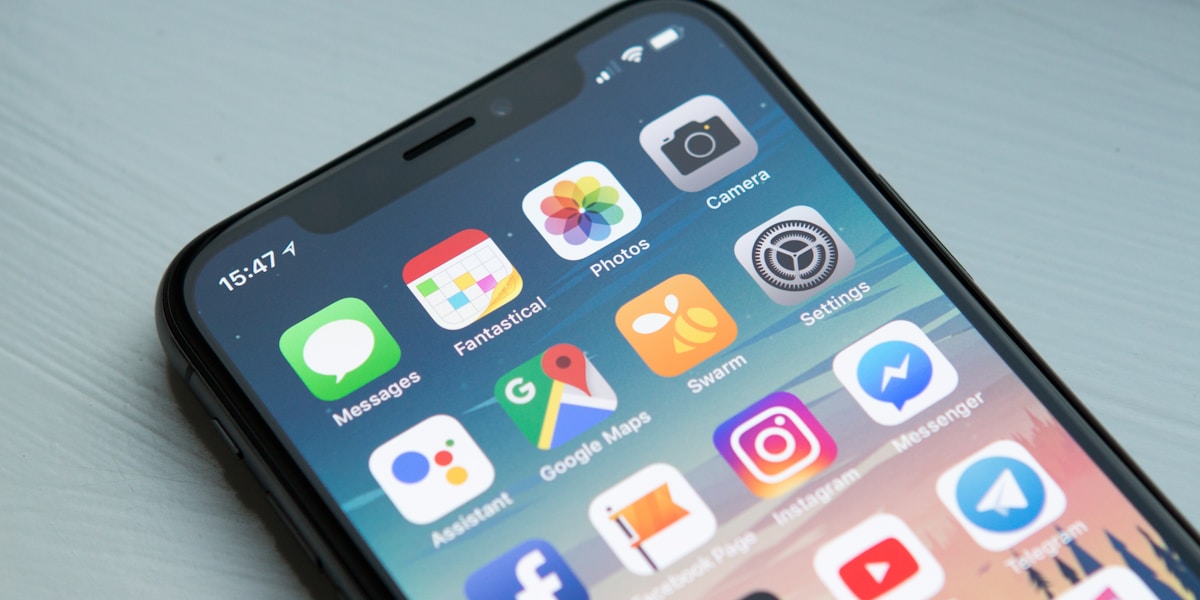
A business management app lets you see and run your company from your phone: today's sales, stock, invoices, approvals and payments, without waiting to get back to the office. The MAPOS app does this with a live sales dashboard called Pulse, an offline-first Quick POS that keeps selling when the internet drops, and every MAPOS ERP module available inside the app.
This guide covers what Lebanese owners actually need on their phone, what to check before you trust a mobile app with your business, and how the MAPOS app is built.
Why owners in Lebanon run the business from their phone
Many Lebanese owners are rarely at one desk. They move between branches, meet suppliers, visit clients and travel. Some run a business in Lebanon while spending part of the year abroad. The phone is the one screen they always have.
Until recently, that phone mostly showed WhatsApp messages from staff: photos of the cash drawer, a screenshot of a sales report, a voice note asking "can I give this customer 10%?". That is slow, and the numbers in a screenshot are already old by the time you read them.
A proper business app replaces those messages with live data and actions. You don't ask for the number. You open it.
What a business management app should let you do
Not every "mobile app" offered by a software vendor is the same. Some only show a few charts. Others are a full system squeezed onto a small screen. These are the things that matter in practice:
- See today's sales at a glance. Totals per branch, in USD and LBP, without building a report.
- Sell from the phone. At a pop-up stand, an exhibition, a delivery door or a busy day when the counter has a queue.
- Keep selling offline. In Lebanon, the internet and power will drop. The app must keep working and sync later.
- Approve things. Purchases, stock transfers and adjustments that need a second person should not wait until you are back at the office.
- Check stock and customers. Is the item in the other branch? How much does this customer owe?
- Reach the full system when needed. Not just a summary, but invoices, accounting, HR and the rest.
- Sign in safely and quickly. With proper user roles, so a cashier does not see the owner's reports.
- Get help. A direct line to the software team from inside the app.
Pulse: the sales dashboard
Pulse is the owner's view in the MAPOS app. It is the screen you open first thing in the morning and last thing at night: how sales are going, so you can spot a quiet branch or a strong day without asking anyone.
Because Pulse reads from the same MAPOS database as the POS and accounting, the number on your phone is the same number your accountant will see. There is no separate export and no "the report was from yesterday".
A good habit is to check Pulse at the same times every day. After a few weeks you know what a normal Tuesday looks like for each branch, and an unusual day stands out on its own. That is often more useful than a long monthly report read too late to act on.
Quick POS: selling from the phone, even offline
The MAPOS app includes an offline-first Quick POS. Offline-first means the app does not depend on a live connection to make a sale. It records the sale on the device and syncs it to MAPOS when the connection is back.
Where this is useful:
- A weekend market stand or exhibition with weak mobile data.
- A second "till" on a busy day, run by a staff member with a phone.
- A small business that does not need a full counter POS yet.
- Sales during internet or power cuts. Read more in our article on business continuity during power outages.
For full counters, the MAPOS POS has its own full offline mode, with a per-terminal official invoice series that survives offline periods. The app and the counter POS feed the same stock and the same books.
Every ERP module inside the app
The MAPOS app is not a cut-down reporting app. Every MAPOS ERP module is available inside it. From the same app you can reach:
| Module | What you might do from the phone |
|---|---|
| Inventory | Check stock per branch, approve a transfer or an adjustment |
| CRM and sales | Look up a customer's balance, send a quotation, check an invoice |
| Accounting | Review draft journals, check cash and bank balances |
| Purchasing | Approve a purchase order waiting for a second signature |
| HR | Look up an employee record or a payroll run |
| POS | Sell with Quick POS, see the day's Z-report |
Some screens, like a long general ledger, are naturally easier on a laptop. The point is that you are never blocked: if something is urgent, you can do it from where you are.
Signing in with a QR code
Typing long passwords on a phone is where people start sharing accounts. The MAPOS app supports QR sign-in: you scan a code to log in, and the app opens with your own user and your own permissions.
Permissions matter on a phone even more than on a desktop, because phones get lost and borrowed. MAPOS uses roles and fine-grained permissions, so each person sees only what their role allows. A branch manager might see their branch's sales but not company-wide profit.
Chat with the MAPOS team from the app
When something is unclear, you can chat with the MAPOS team from inside the app. You don't need to find a support email or wait for office hours to describe a problem; you send the message where you are already working. MAPOS also has a bilingual Arabic/English video guide library for common tasks.
Checklist before you choose a business app
- Does the app show live data from the same system as your accounting, or a separate copy?
- Can it sell offline, and how does it sync afterwards?
- Can you approve purchases, transfers and adjustments from it?
- Does it respect user roles, or does everyone see everything?
- Does it handle USD and LBP the same way as your desktop system?
- Is it the full system or only a dashboard?
- Who do you contact when something goes wrong, and how?
For a wider look at choosing software, see our buying guide for business software in Lebanon.
Example: an owner with three shops
Here is a hypothetical day for the owner of three small electronics shops.
- 8:00 Opens Pulse. Yesterday's sales per shop are there. One shop was quiet; she makes a note to call the manager.
- 11:30 At a supplier's office, she gets a request to approve a purchase order. She checks current stock of that item in the app and approves a smaller quantity.
- 15:00 A branch asks to move ten phone cases from another branch. She approves the transfer from her phone.
- Saturday At a weekend exhibition, a staff member sells with Quick POS on a phone. Mobile data is patchy; the sales sync when the connection returns.
How MAPOS does it
- Pulse sales dashboard for owners.
- Offline-first Quick POS that syncs when the connection returns.
- Every ERP module inside the app: inventory, CRM, accounting, HR, POS and more.
- QR sign-in with roles and fine-grained permissions.
- Chat with the MAPOS team from inside the app.
- Same data as the desktop system, in USD and LBP. See the MAPOS Lebanon page for the full list of local features.
Frequently Asked Questions
Can I run my whole business from the MAPOS app?
Yes. Every MAPOS ERP module is available inside the app, alongside the Pulse dashboard and Quick POS. Some long reports are simply easier to read on a bigger screen.
Does the MAPOS app work without internet?
Quick POS in the app is offline-first: it records sales on the phone and syncs them when the connection returns. Live dashboards need a connection to show the latest numbers.
Is the app a separate system from my MAPOS ERP?
No. The app works on the same MAPOS data as the desktop system, so sales, stock and balances match everywhere.
How do staff sign in?
Staff can sign in by scanning a QR code. Each person gets their own user, and roles and permissions control what they can see and do.
How much does the MAPOS app cost?
MAPOS is quoted per business based on modules, branches and users. Book a demo on WhatsApp at +961 71 725 270 for a quote.
Want to see Pulse and Quick POS on your own phone? Book a demo or message us on WhatsApp.
